

Four boxes that all get called "the controller"
The same question comes back every few weeks: what do I need between my sources and the wall. The answer is one of four devices, and they are not interchangeable even though the sales pages use the same words.
A matrix switcher is a crosspoint. Eight inputs on the left, eight outputs on the right, any input can reach any output. It routes. It does not build a picture.
A video wall processor has an internal canvas the size of the whole wall, and it cuts that canvas into one signal per panel. Layers, picture-in-picture, scene presets, bezel compensation all live here. The outputs share one clock, which matters more than the spec sheet suggests.
Software decoding is a computer with enough graphics outputs to feed every screen, presenting the wall to Windows as one very wide desktop. Cheap if a PC is already in the room.
An IP decoder sits at the other end: it pulls a stream from a recorder and turns it back into one screen's worth of picture. Nobody buys these for signage. Everybody buys them for cameras.
The number that decides everything: 18.7 million pixels
Three rows of three, each panel 1920 by 1080. The wall is 5760 by 3240, which is 18,662,400 pixels. A 4K UHD frame is 8,294,400. The wall is more than twice a 4K frame, and 8K (7680 by 4320, 33.2 million) is the first standard format that covers it with room to spare.
So when a listing says "supports 4K", that tells you the input side only. The question to ask is different: what resolution does the box composite at, and what does it send to each panel? A good answer sounds like "5760 by 3240 at 60 Hz internally, nine 1920 by 1080 outputs". A bad answer is "up to 4K", because a 4K-limited box either crops a third of your content or scales it down and pads the sides.
One more number worth knowing before you argue about cables. 5760 by 3240 at 60 Hz, 8-bit, 4:4:4 needs about 26.9 Gbit/s. HDMI 2.0 carries 18 Gbit/s, DisplayPort 1.4 carries 25.9 Gbit/s after overhead and only reaches the wall with compression turned on. That is exactly why real processors send nine separate 1080p signals instead of one giant one: each of those is 3.3 Gbit/s and runs on ordinary copper.
What a matrix switcher genuinely does well
A 4-in 4-out matrix costs about 200 US dollars and does one thing perfectly: it puts a source on the wall in under a second, with no boot time, no operating system, and roughly one frame of delay. For a meeting room where the wall shows one laptop at a time and somebody occasionally switches to the camera, it is the correct purchase. A processor here is money burnt on features nobody will open.
The trap is the phrase "video wall function" on a 250-dollar matrix. What it usually means is that each output can be assigned a fixed crop of the input, so four outputs each show one quarter. It works, and it breaks the moment something changes.
Here is how it breaks in practice. The crop is defined in pixels of the input, so dropping from 4K to 1080p on the laptop shifts every region. Going from 2 by 2 to 3 by 3 means re-entering nine sets of crop values by trial and error, because there is no canvas view to draw on. And because there is no shared clock, a moving object that crosses a seam shows a small step where two outputs disagree by a few milliseconds.
What you are actually paying for in a processor
A nine-output processor runs 1,200 to 2,500 dollars in Shenzhen this year. Three things justify it.
One canvas. You drag a window to a position and it lands there, across seams, without arithmetic. A 4 by 4 window is one object, not sixteen crops.
One clock. Every output is generated from the same timing source, so a car crossing the wall stays one car. With software-driven outputs the seam shows a diagonal tear, and on scrolling text it is obvious from ten metres away.
Bezel compensation. A 55-inch 3.5 mm panel has 1210.6 mm of active width for 1920 pixels, so one pixel is 0.63 mm. The seam eats 3.5 mm, which is about 5.5 pixels. On a three-wide wall that is 11 pixels removed across two seams. It sounds like nothing until the content is a vertical line, a building edge, a scrolling ticker, or a face split down the middle. Cheap matrices often skip this step entirely, and the wall looks subtly wrong in a way nobody can name.
Ask for the layer count with the resolution attached. "Sixteen layers" usually means sixteen 1080p layers; four 4K layers is a different machine at a different price.
Software decoding: free until the first tearing complaint
Windows can be told the wall is one desktop. AMD Eyefinity and NVIDIA Surround both do it, and a card like the Matrox C900 drives nine 1080p outputs from a single slot, which happens to be exactly one 3 by 3. If a PC is already racked, the incremental cost is zero and setup takes twenty minutes.
The load is not the problem. 18.7 million pixels at 60 Hz is 1.1 gigapixels per second, which a mid-range GPU from three years ago handles while decoding two 4K streams. Memory bandwidth is fine, thermal is fine, H.265 hardware decode is fine.
The problem is that each output has its own pixel clock. Nothing forces them to start the same frame. On static content you will never see it. On a menu board that changes every eight seconds you will never see it. Put a live camera on the wall and the seam shows a horizontal line where the rows disagree — usually two to four milliseconds, which is a sixth of a frame, which is a visible slice in anything that moves.
The other cost is operational. Windows Update reboots the wall at two in the morning. A driver update changes the arrangement. Somebody unplugs a DisplayPort cable and the desktop reflows to 3840 by 2160, and the wall shows the top-left ninth until someone remotes in. For a lobby that runs unattended for three years, that is the real price.
The camera wall is a different animal
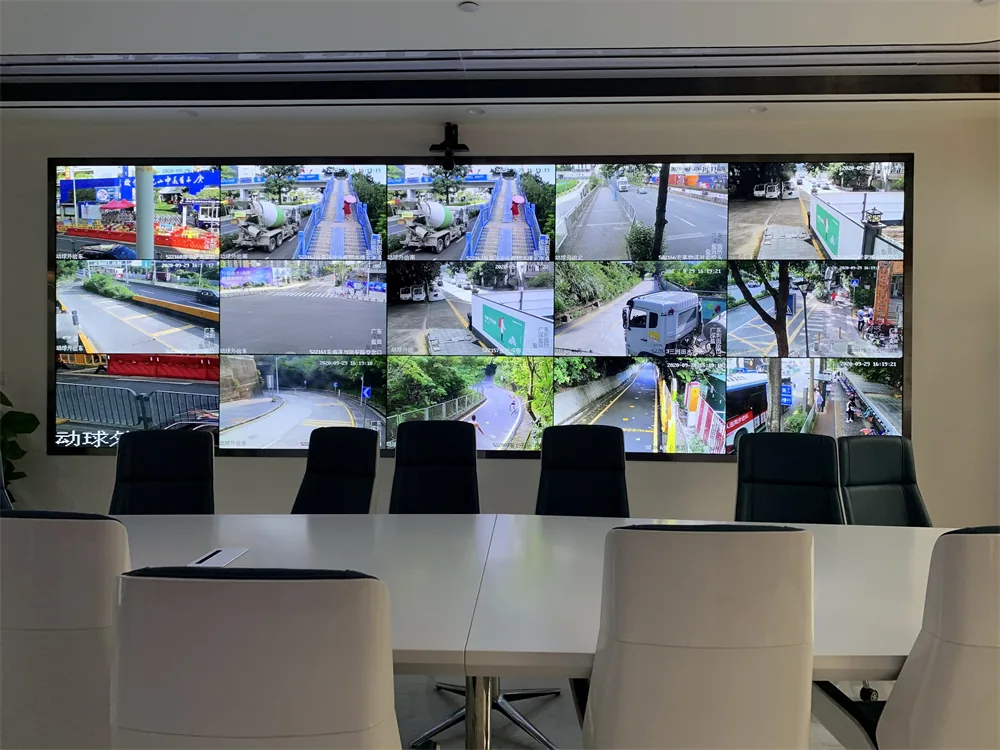
Eighteen cameras on a 6 by 3 wall. The instinct is to buy a big processor. The cheaper and more reliable build is three decoders, each pulling six substreams and laying them out as six tiles on one 1920 by 1080 output. Three boxes at 150 to 250 dollars each, no canvas maths, and if one dies you lose one row instead of the wall.
The trade is latency: 200 to 500 milliseconds end to end, because the stream is encoded, buffered and decoded again. For surveillance that is invisible. For a live event it is unusable, and this is the one place where you cannot compromise on the hardware path.
Two details that get missed. Feed the decoder's output at the panel's native 1920 by 1080 — a 4K decoder into a 1080p panel adds a scaler stage and another frame of delay for nothing. And check the decode budget: "16 channels" usually means 16 at 1080p H.264, and drops to eight or fewer if the recorder is pushing H.265 or 4K.
Pick in five minutes
Match the row to the job. If two rows seem to fit, the more expensive one is usually right, because the cheaper one will be replaced within a year.
| What the wall has to do | Buy | Typical cost |
|---|---|---|
| One source at a time, full screen, switched occasionally | Matrix switcher | 200–400 USD |
| Two to four windows, meeting room, presentation | Small processor or 4-output matrix with real wall mode | 400–900 USD |
| Six or more windows, mixed sources, runs all day | Hardware processor | 1,200–2,500 USD |
| Mostly static content from a PC you already own | Software, one multi-output card | 0–500 USD |
| Sixteen cameras and up | Recorder plus one decoder per output | 150–250 USD per screen |
| Live camera with motion crossing seams | Processor with frame-locked outputs | 2,000 USD and up |
Before paying, ask three questions and listen for specifics. What is the canvas resolution and refresh? How many layers, at what resolution each? How is bezel compensation entered — in millimetres or in pixels, and is the output mapping row-major or column-major? A supplier who answers the third one without looking it up has installed a wall this month.
The four things that go wrong on commissioning day
EDID. The processor reads the panel's EDID to decide what to send. Copy a bad one and the whole wall drops to 1024 by 768, and every complaint afterwards is about blurry text rather than the actual fault. Force the EDID copy from one known-good panel.
HDCP. Put a processor in the loop and a laptop playing protected content goes black, while the desktop shows fine. Nothing is broken; the handshake stopped half way.
Cable length. 4K at 60 Hz over passive HDMI copper is a 3 to 5 metre conversation. Past that, active fibre or HDBaseT over Cat6 to 100 metres. Half the "flaky output" tickets I hear about are a 10-metre passive cable on a 4K signal.
Power order. Panels first, wait for them to report, then the processor output. Boot the processor first and it negotiates with panels that are not listening yet, then holds that guess until the next reboot.
The last step is a test pattern, not a video. A one-pixel grid shows immediately whether output 1 is the top-left or the bottom-left, whether a column is mirrored, and whether the bezel compensation matches the real seam. Five minutes with a grid saves an afternoon with a ladder.
Where to go next
Signal inputs: HDMI, DisplayPort and SDI compared Where the latency actually comes from in a wall Commissioning checklist for a new wall Video wall panels